



When users consider online gaming, the browser-based experience often comes to mind first. Yet a dedicated download casino client stays one of the most dependable ways to access a full gaming library with superior stability and speed. At Wolf Casino, we have developed our platform to deliver both instant-play and a downloadable software option, offering every visitor the flexibility to select the setup that fits their hardware and playing habits. Comprehending what download casino games offer helps you make an informed decision before you register. This guide covers the core aspects of download-based play, from installation and system requirements to the game categories, bonuses, banking, security, and mobile compatibility that shape the overall experience. We will explain how the download client operates, what you can look forward to when you launch it, and why many seasoned players still favor a locally installed application over a web browser. The information that comes next is based on how Wolf Casino arranges its own offering, with concrete details you can verify directly on our platform.
Safety, Permits, and Honest Gaming
Wolf Casino operates under a authorization issued by a reputable regulatory body, which sets strict standards on player protection, fair play, and financial security. The download client is designed to comply with these obligations. Every game outcome is decided by a certified random number generator that is frequently tested by external auditing laboratories. These tests validate that the results are statistically random and cannot be manipulated. The audit certificates are available for review within the client’s settings menu. We also employ advanced session management that instantly logs you out after a duration of inactivity, reducing the chance of unauthorized access on shared computers.
Data Protection and Responsible Gaming Tools
All data transmitted between the download client and our servers is safeguarded with industry-standard encryption. Personal information, payment details, and gaming history are kept on secure servers with strict access controls. We do not share your data with third parties apart from as needed for payment processing and regulatory compliance. The client features a dedicated responsible gaming section where you can set deposit limits, loss limits, wagering limits, and session time reminders. Self-exclusion options are also offered, allowing you to momentarily or indefinitely block access to your account. These tools are coordinated across all platforms, so a limit set in the download client functions to mobile and web play as well. We also provide links to professional support organizations for those who seek assistance.
Financial Operations: Deposits & Withdrawals
Managing your balance through the Wolf Casino download client is managed by means of a secure cashier module that offers a wide range of payment methods. We accept major credit and debit cards, bank transfers, and a choice of e-wallets and prepaid solutions. The exact list of available options relies on your country of residence, and the cashier routinely shows only the methods you are entitled to use. All transactions are encrypted with TLS 1.3, and confidential payment data is under no circumstances stored on your local machine. The deposit process is immediate for many methods, and the funds show up in your gaming balance within seconds after confirmation. The client offers a clear transaction history that you can organize by date, type, and status.
Payment Methods and Handling Times
When you initiate a deposit, the cashier displays the available methods along with any applicable minimum and maximum limits. Credit and debit card deposits usually process in real time, and you will see the amount reflected in your balance immediately. E-wallets such as Skrill and Neteller provide the same speed, often with the added benefit of keeping your bank statement free of gaming-related entries. Prepaid vouchers and certain online banking options may require an additional authentication step, but the client guides you through it. We do not charge deposit fees, though your payment provider may apply its own charges. The minimum deposit amount is set at a level that keeps the casino accessible, while maximum limits can be adjusted for higher-volume players upon request. After a successful deposit, you can return to the game lobby with one click.
Cashout Options and Verification
Submitting a withdrawal through the download client entails a straightforward process. You select the withdrawal method, input the amount, and confirm the request. Before a first withdrawal is processed, we require identity verification in line with licensing and anti-money laundering regulations. This entails uploading a copy of a government-issued ID, a recent utility bill or bank statement for address confirmation, and in some cases proof of payment method ownership. The verification can be completed directly through the client’s secure document upload feature. Once verified, withdrawal requests are reviewed within 24 hours. E-wallet payouts are commonly processed within 24 to 48 hours after approval, while card and bank transfer withdrawals may require three to five business days. The client presents the status of each withdrawal request, and you obtain an email notification at each stage.
Grasping Download Casino Software
A download casino client is a self-contained application that you set up on a desktop or laptop computer. As opposed to instant-play platforms that run inside a web browser using HTML5 or Flash technology, downloadable software saves core game files and graphical assets on your hard drive. This architectural difference brings noticeable performance benefits. Because the client does not need to deliver every animation, sound effect, and visual element from a remote server in real time, loading times are considerably shorter, and transitions between game lobbies and individual titles feel more fluid. At Wolf Casino, our download package includes a curated selection of games that have been optimized to run smoothly even on mid-range hardware, while still offering high-definition graphics and immersive sound design.
The client also sustains a persistent connection to our gaming servers, which reduces the risk of disconnections during critical moments in a live dealer round or a bonus feature spin. From a technical standpoint, the software manages encryption and account authentication locally, adding an extra layer of security. When you open the Wolf Casino download client, you log in once and can then move between slots, table games, and live casino tables without repeated authentication prompts. The interface is built to mirror the look and feel of our website, so navigation remains intuitive. You will find the same categories, search tools, and filter options, but with the added benefit of faster response times. For players who value a seamless, uninterrupted session, the download option is a practical choice that eliminates browser-related lag and compatibility quirks.
Rewards and Deals for Client Users
All current promotions at Wolf Casino are fully reachable through the download client. No matter if you activate a welcome package, reload bonus, or free spins offer, the procedure is equivalent to the web version. The cashier section inside the client displays your available bonuses, wagering progress, and any related terms. We are committed in transparency, so each bonus tile features a direct link to the full terms and conditions. When you opt in to a promotion, the bonus funds or free spins are credited immediately, and you can use them on eligible games without changing to a browser. The client also delivers real-time notifications about time-limited offers, tournament invitations, and loyalty rewards, guaranteeing you never miss an opportunity.
Typical welcome offers for new download users feature a match deposit bonus on the first few deposits, Wolf Casino Canada, often bundled with a bundle of free spins on selected slots. Wagering requirements, minimum deposit thresholds, and game contribution percentages change by promotion, and we show these details clearly before you decide. Regular players profit from a multi-tier loyalty program that records your activity across both download and web platforms. Points accrue with every real-money wager, and you can exchange them for bonus credits or other perks. The download client includes a dedicated loyalty dashboard where you can monitor your tier status, point balance, and available rewards. Because the client aligns with your account in real time, any bonus you activate on mobile will also show up in the download software and vice versa.
Game Sections In the Download Lobby
The game selection within the Wolf Casino download client is structured into clear categories that mirror the web version but with faster filtering. You will locate thousands of titles covering slots, table games, live dealer experiences, video poker, and specialty games. The client’s local caching guarantees that preview thumbnails and game information panels show up instantly as you scroll. We have teamed up with multiple software providers to ensure variety, and the download platform supports all game mechanics, from classic three-reel setups to complex Megaways engines and cluster-pays systems. Each title loads in its own window, and you can keep several games open simultaneously if you enjoy to switch between them.
Slot Machines and Progressive Jackpots
Slots make up the largest segment of the library. The download client features classic fruit machines, video slots with elaborate bonus rounds, and progressive jackpot games where prize pools increase with every bet placed across the network. Because the graphics are rendered locally, high-volatility slots with intricate animations operate without stuttering. You can sort the slot collection by provider, popularity, or release date. The search bar accepts keywords, so finding a specific title or theme needs seconds. Progressive jackpots are shown with real-time tickers displaying the current prize amount. When you click on a progressive slot, the client connects to the jackpot server and displays the exact sum you could win. This integration is flawless and refreshes without refreshing the lobby.
Table Options and Live Dealer
Table game enthusiasts will locate multiple variants of blackjack, roulette, baccarat, and poker. The download client includes both virtual table games with random number generator outcomes and a live dealer section that transmits real-time video from professional studios. Virtual tables offer adjustable game speed and detailed statistics, while live dealer tables provide chat functionality and multiple camera angles. The client’s stable connection is particularly advantageous for live dealer play, where dropped frames can interrupt the experience. At Wolf Casino, the live dealer lobby in the download software offers standard and VIP tables with varying bet limits, serving both casual players and high rollers. The interface for placing bets is reactive, and game history is stored locally for quick review.
How to Download and Set Up the Client
Beginning with the Wolf Casino download client is a straightforward process that needs only a few minutes. We offer a dedicated download page reachable from the main navigation bar. Once you select the download button, a small installer file is stored to your computer. Running that file launches a setup wizard that leads you through the installation steps. The wizard scans for available disk space and asks you to choose an installation directory. We recommend accepting the default path except if you have specific storage preferences. The entire package is compact enough that it will not burden your system, yet it includes all the necessary components to run the game library effectively.
System Requirements and Compatibility
Before beginning the download, it is helpful to ensure that your computer fulfills the minimum specifications. The Wolf Casino client is supported with Windows 10 and more recent versions, as well as macOS 10.14 and above. A stable broadband connection is required, although the client is engineered to work well even on connections with moderate bandwidth because it preloads assets. We suggest at least 4 GB of RAM and a dual-core processor, which encompasses the vast majority of laptops and desktops available in recent years. Graphics requirements are modest; integrated Intel HD Graphics or equivalent are adequate for smooth gameplay. The installer itself is digitally signed, and your operating system will show a security confirmation before the installation proceeds. This assures that the software you are running originates directly from Wolf Casino and has not been tampered with.
Sequential Installation and Primary Launch
After running the installer, you will be asked to agree to our end-user license agreement and privacy policy. We recommend you to go through these documents, as they detail data handling practices and usage terms. The installation typically completes in under two minutes. Once done, a Wolf Casino icon shows up on your desktop. Double-clicking it launches the login screen, where you can type your existing account credentials or create a new account directly from the client. First-time users who sign up through the download client receive the same welcome offer as those who sign up via the website. Upon logging in, the client executes a quick synchronization to renew any game files and validate your account status. After that, the full lobby loads, and you can right away discover the available titles.
On-the-go and Multi-Platform Access
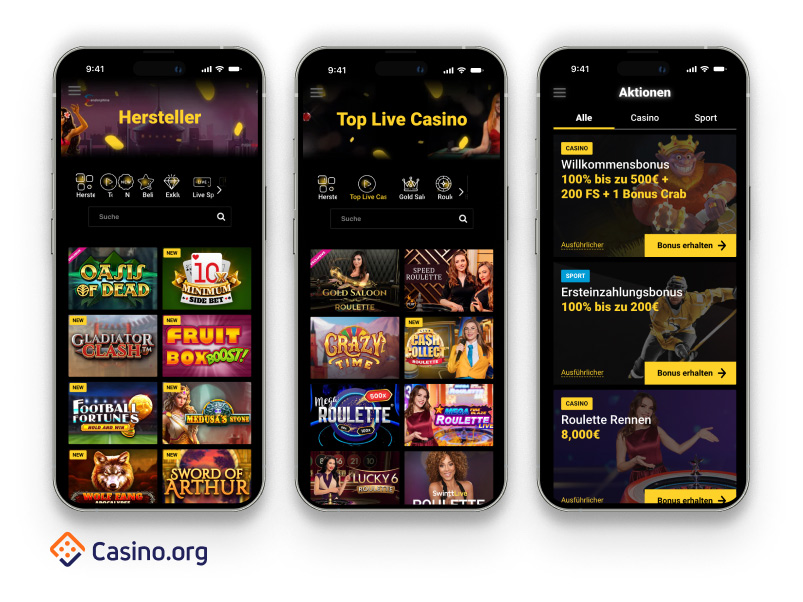
While the Wolf Casino download client is built for desktop computers, our platform entirely supports mobile play through a responsive website and specialized applications for iOS and Android devices. The mobile experience is not a scaled-down version; it offers the same game library, account features, and promotional offers. You can initiate a session on your desktop via the download client, then switch to your phone or tablet and keep playing without interruption. Account balances, bonus progress, and loyalty points are refreshed in real time across all devices. This cross-platform continuity is a key part of our method, because we recognize that players often shift between devices throughout the day.
The mobile web version needs no download and works immediately in your smartphone browser. It uses HTML5 technology to offer smooth gameplay on both modern and older devices. For those who choose a native app, we offer lightweight applications that can be added from our website. These apps give push notifications for promotions and faster access to the game lobby. While the desktop download client provides the highest level of performance and the largest on-screen layout, the mobile options ensure you are never far from your favorite games. All three access methods employ the same account, wallet, and security settings, giving you a unified experience regardless of how you choose to play.
